The Tuya App and TTlock App serve different purposes, with their main difference lying in scope of functionality and target use cases:
1. Core Purpose
Tuya App
A full smart home platform that controls multiple device types (e.g., lights, cameras, thermostats, door locks) across brands. It acts as a central hub for integrated automation (e.g., "Turn off all lights when I leave home") .
Supports voice assistants like Alexa and Google Assistant, and offers advanced features like scene customization and remote monitoring
TTlock App
Specializes exclusively in smart door locks. It focuses on lock-specific features like generating temporary access codes, sharing eKeys, viewing entry logs, and remote unlocking via a gateway . Limited to lock management—no support for other smart devices (e.g., lights, cameras) .
2. Hardware Compatibility
Tuya App
Works with thousands of Tuya-compatible devices from various brands, including smart locks. It allows mixing and matching devices for whole-home automation .
Example: Control a Tuya-certified smart lock and a Tuya smart bulb from the same app .
TTlock App
Only connects to TTlock-branded smart locks or devices explicitly designed for TTlock (e.g., certain third-party locks like RAYKUBE K8) .
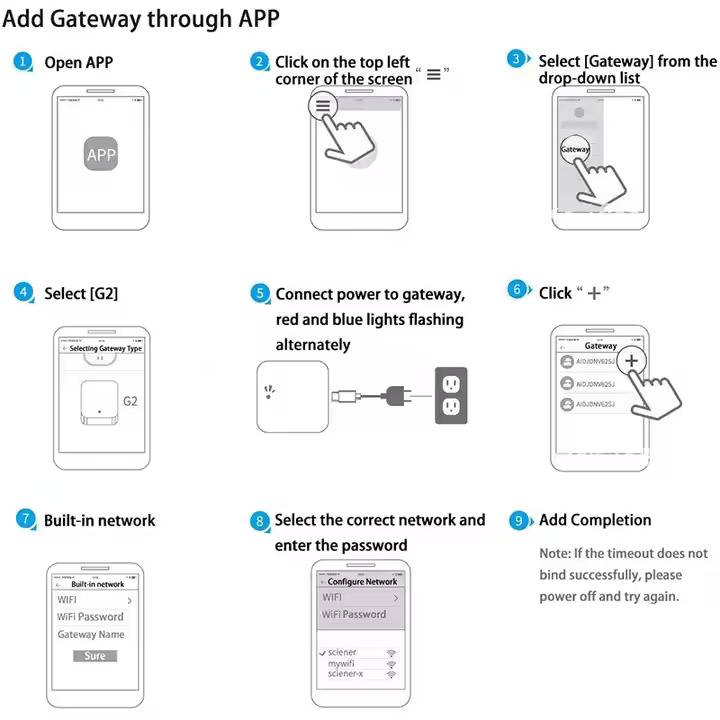
Requires a gateway (sold separately) for remote access .
3. User Experience
Tuya App
Complex but versatile: Offers a wide range of settings for advanced users (e.g., energy monitoring, device pairing) .Ideal for tech-savvy users building a smart home ecosystem.
TTlock App
Simple and focused: Streamlined interface for lock management (e.g., creating time-sensitive passwords, checking battery life) .
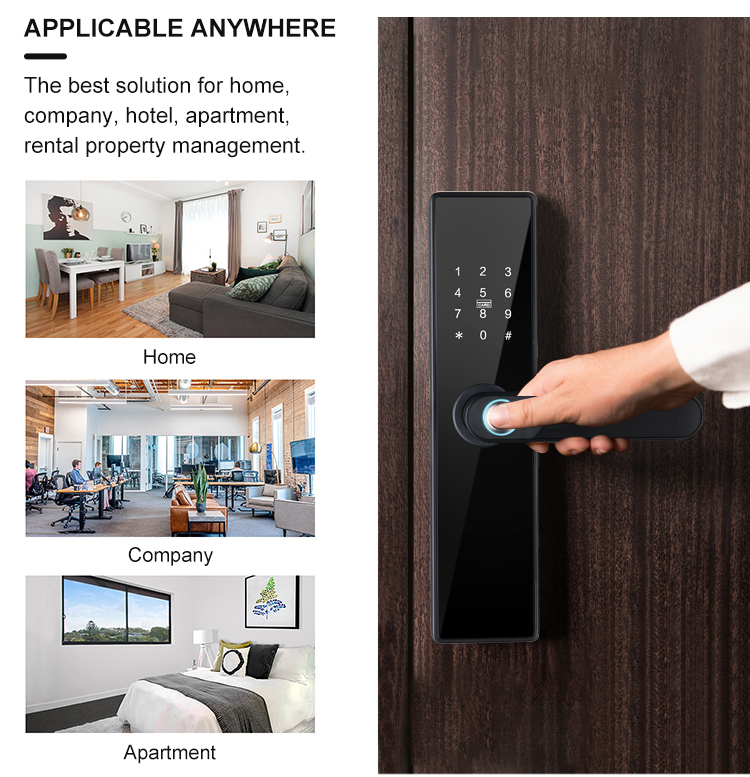
Suits users prioritizing security (e.g., landlords managing rentals, homeowners wanting keyless access).
4. Integration with Other Services
Tuya App
Integrates with third-party platforms (e.g., Amazon Alexa, Apple HomeKit) and supports custom automation rules .
Example: Automatically unlock the door when your smart thermostat detects you’re home.
TTlock App
Limited integration: Only connects to voice assistants (Alexa, Google Assistant) via its gateway for basic lock control .
No cross-device automation (e.g., unlocking the door won’t trigger other devices).
5. Pricing
Tuya App
Free to use for basic features. Some advanced services (e.g., cloud storage for cameras) may require subscriptions .
TTlock App
Free for core features (e.g., Bluetooth unlocking, code management). A gateway (e.g., G2 Gateway) is needed for remote access, sold separately .
Key Takeaway
Use Tuya App if you want centralized control of a full smart home with automation and cross-device integration.
Use TTlock App if you only need to manage smart door locks (e.g., rentals, security-focused homes) .
Some smart locks (like the RAYKUBE K8) even support both apps—you can choose Tuya for broader smart home integration or TTlock for simplified lock-only control !



 English
 français
 Deutsch
 русский
 italiano
 español
 português
 العربية
 Türkçe
 Tiếng Việt
 Indonesia
 IPv6 network supported